
1) Slicing
Given: x = np.arange(0, 50)
Tasks
Extract elements 10 through 19 (10 numbers).
Extract every 3rd element starting at index 2.
Reverse
x.Get the last 8 elements, but in reverse order.
2) 2D slicing: “crop + downsample”
Given: A = np.arange(1, 1+8*10).reshape(8,10)
Tasks
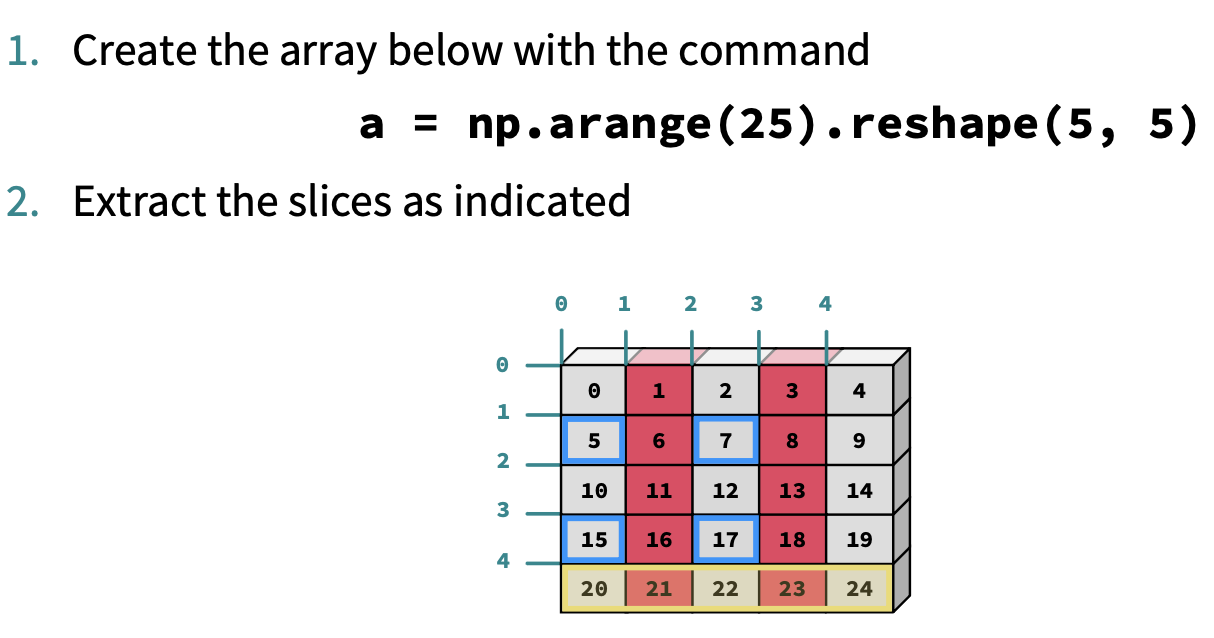
Extract the middle 4×6 block.
Extract rows 1–6 and columns 2–8 with a step of 2 in columns.
Set the border (first/last row/col) to zero using slicing only (no loops).
3) Broadcasting & multiplication: “per-row and per-column scaling”
Given: A from above, and row_scale = np.linspace(1, 2, A.shape[0])
Tasks
Multiply each row of
Aby the correspondingrow_scalevalue (broadcasting).Create
col_scale = np.arange(1, A.shape[1]+1)and multiply each column bycol_scale.Verify shapes at each step and explain why broadcasting works.
4) Masking: “outlier detection”
Given: data = rng.normal(loc=0, scale=1, size=1000)
Tasks
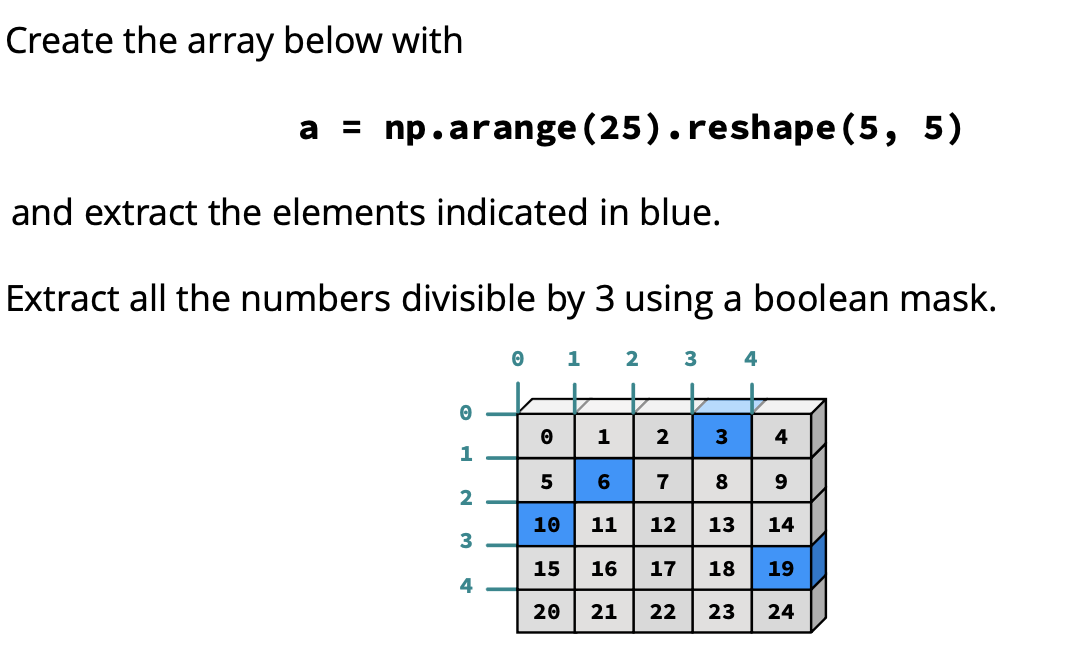
Create a boolean mask for values with
|x| > 2.Replace those outliers with
np.nan(in-place).Compute the mean ignoring NaNs.
Count how many outliers you replaced (don’t loop).
5) Fancy indexing: “pick and place”
Given: A = rng.integers(0, 100, size=(6, 6))
Tasks
Extract the submatrix made of rows
[0, 2, 5]and columns[1, 3, 4].Swap rows 1 and 4 using fancy indexing.
Set elements at positions
[(0,0), (1,2), (4,5)]to-1without looping.
6) Histogram basics: “bin counts + probabilities”
Given: x = rng.normal(0, 1, size=20000)
Tasks
Compute a histogram with 40 bins over the range
[-4, 4].Convert counts to a probability mass function (PMF): sum must equal 1.
Plot or print: which bin has the maximum probability?
Compute the probability that
xlies between-1and1using histogram bins (approx).
7) Histogram normalization to a density: “area under curve = 1”
Given: same x
Tasks
Use
np.histogram(..., density=True)and verify numerically that (\sum_i \text{density}_i \times \Delta x_i \approx 1).Repeat with non-uniform bin widths (custom bin edges) and verify again.
8) Mask + histogram: “conditional distribution”
Given: x = rng.normal(0,1,20000) and y = 0.5*x + rng.normal(0,1,20000)
Tasks
Mask for points with
y > 1.0.Compute and compare histograms of
xfor:all data
only masked subset
Normalize both to densities and interpret the shift (mean/variance change).
9) “Top-k” with fancy indexing (no sorting full array)
Given: scores = rng.random(200)
Tasks
Find indices of the top 10 scores without sorting the whole array (hint:
argpartition).Use those indices to extract the top 10 values.
Return them sorted from largest to smallest (you can sort only the top 10).
10) Mini-project: image-like array filtering (everything together)
Given: img = rng.normal(100, 20, size=(120, 160)) (fake grayscale image)
Tasks
Clip values to
[0, 255].Create a mask for “bright pixels” above 180.
Using fancy indexing, set bright pixels to 255 and others unchanged.
Compute a histogram of pixel values with 64 bins and normalize to a density.
Extract a central crop and downsample by factor 2 in both dimensions.
Compute mean intensity of the crop only for pixels in [50, 150] using masking.